The Notion system where your AI prompts actually sound like you
Tasks, content, goals, and revenue, connected in one place. Plus 28 AI prompts calibrated to your actual voice, not a generic chatbot’s.
Instant access · Notion free plan only · No subscription
Same prompt. Two completely different outputs.
This is the one thing every other Notion template skips.
“Consistency is key for content creators. Post regularly, engage with your audience, and stay true to your brand voice to build a loyal following over time.”
Could be written by anyone, for anyone.
“You don’t have a consistency problem. You have a twenty-minutes-of-nothing problem, three times a week, and that’s what your system should actually fix.”
Sounds like it came from one specific person.
Watch the whole system, start to finish
Read the full transcript
Count the apps it takes to run your content business right now. Tasks in one. Ideas in a notes app. Revenue in a spreadsheet you update once a month, if you remember. Your brand colors are a screenshot from eight months ago. Stick around and you’ll see exactly what fixes that.
The obvious cost is time. Every five minutes spent finding a script is five minutes you didn’t spend writing the next one. There’s a quieter cost too, the kind you don’t say out loud. If your system is this scattered, are you building something, or just managing chaos with extra steps?
You know this moment. You sit down to write, and the first twenty minutes vanish before a single word lands. Scrolling your phone for a screenshot you saved somewhere. Checking your notes app for an idea you know you wrote down. Three tabs open before you remember which one has the draft. That’s a structure problem. Discipline didn’t cause it. Creativity didn’t either. It’s the one thing on this list you can actually fix in an afternoon.
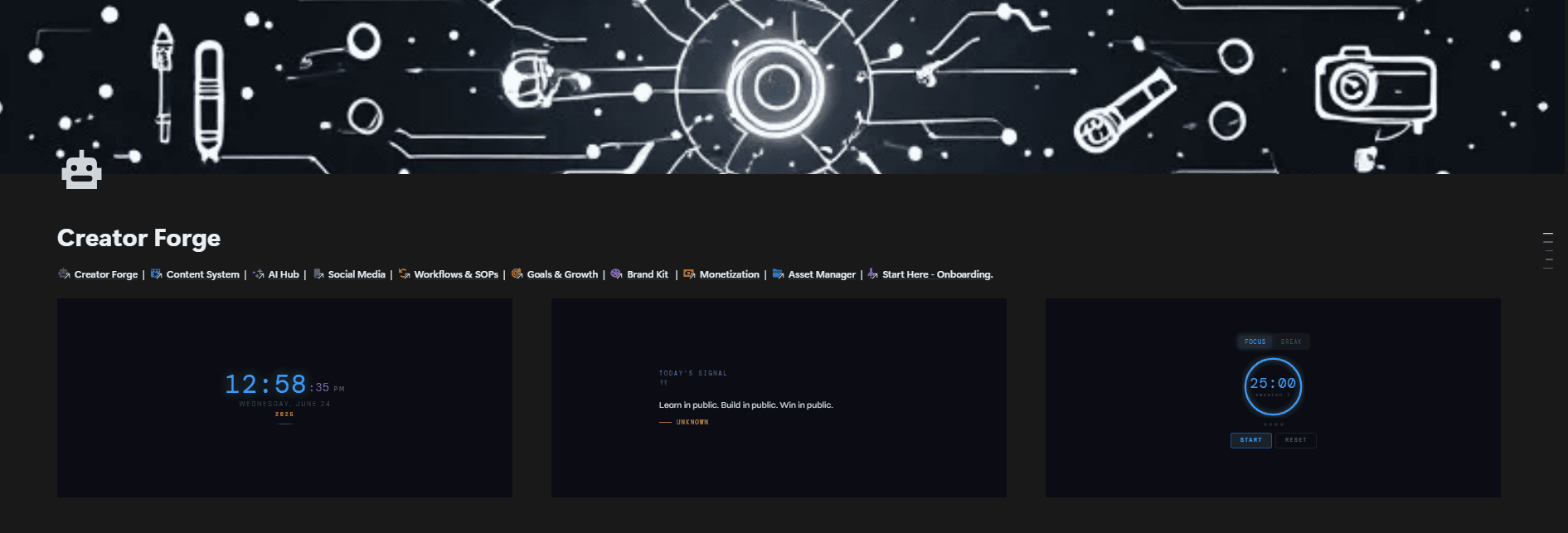
Creator Forge connects all of it into one system. Ten dashboards. Twelve databases. Your tasks link to your projects. Your projects link to your goals. Your revenue updates the moment you log a sale. Nothing extra to click. And the AI prompts inside it work differently than the ones you’ve probably tried. Fill in one voice template once, your niche, your audience, two examples of your own writing. Paste that template into any prompt in the vault before you run it in ChatGPT, and the output sounds like you, not generic AI phrasing.
Morning. Open the dashboard. Your Focus Queue already shows what’s due today, sorted by priority. No digging required. Time to create. Open Content System. Your script, your hooks, your checklist sit inside the project itself, not spread across six tabs. Need a hook? Open AI Hub. Pull a prompt, paste in your voice template, run it in ChatGPT. No fifteen minutes lost wrestling generic AI output into something that sounds like you. Goals update themselves the moment you change one number. Revenue does the same the moment you log a sale. Your brand colors live on one page, not a screenshot you can never relocate.
Picture next Monday. One page open. You already know what’s due, what you’re making, where your numbers stand. No hunting through a notes app. No three tabs open trying to remember which one has the draft.
Creator Forge runs entirely on Notion’s free plan. No subscriptions. No extra tools beyond what’s already built in. Everything you just saw, plus the full prompt vault, the quick-start walkthrough, and the ninety-day roadmap, waits below this video. Get the system that actually connects.
Nothing here talks to anything else
Every five minutes spent finding a script is five minutes you didn’t spend writing the next one.
That’s not a discipline problem. It’s what happens when your tools were never designed to work together.
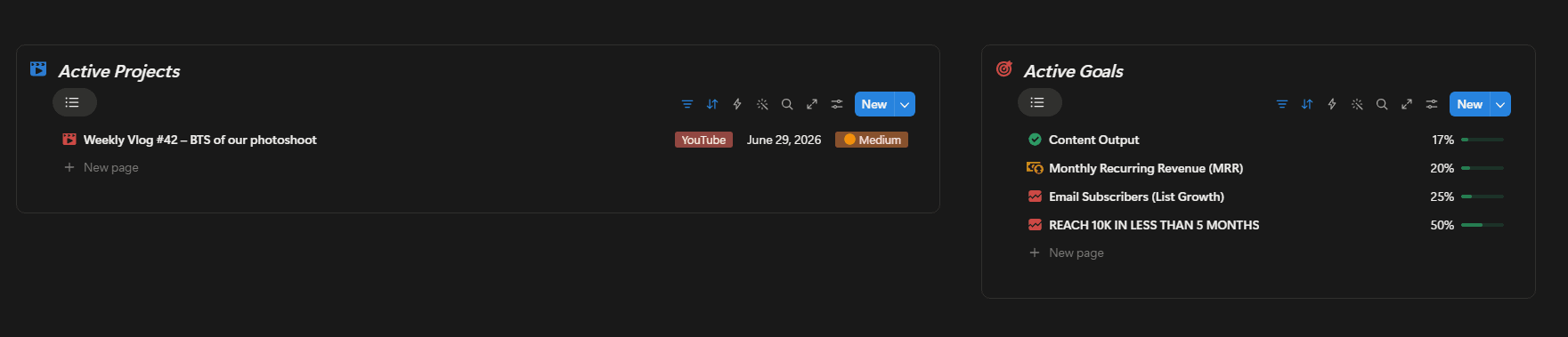
Your tasks and your goals, side by side
Active content projects on one side. Goal progress on the other. Nothing to open, nothing to switch to, it's already here when you sit down.
What's due today, sorted by priority
No digging through a task list to find what matters. It's already sorted and waiting at the top of your dashboard.

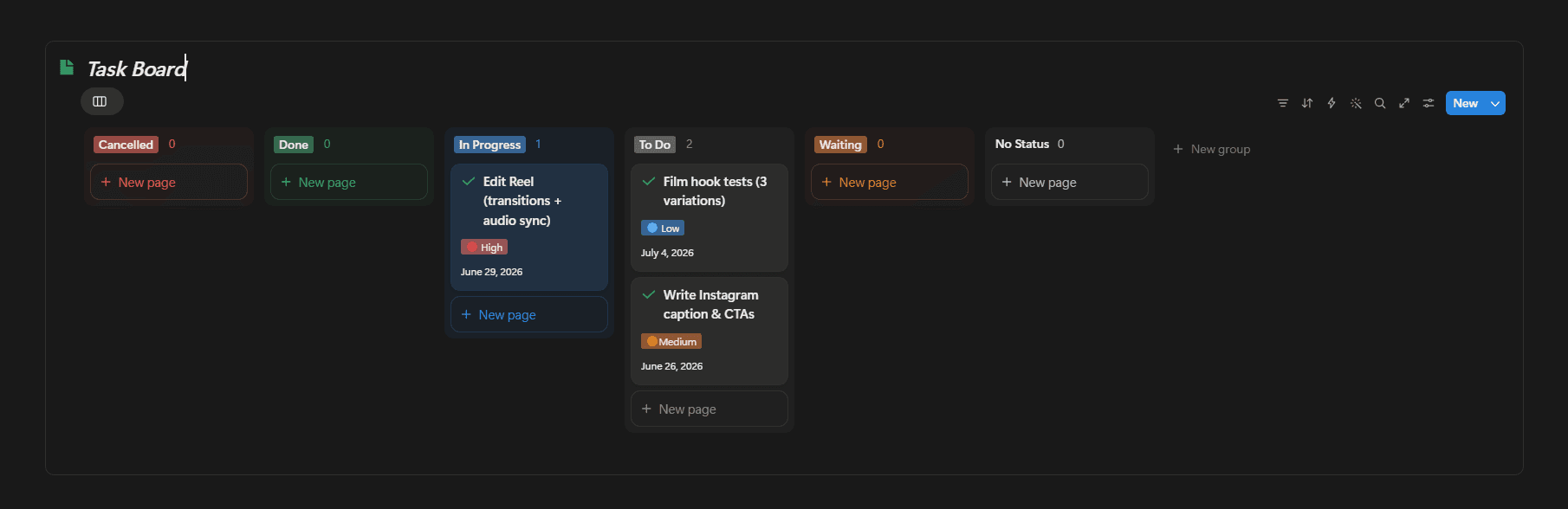
Drag a card, the status updates
Everything in motion, grouped by where it actually is: To Do, In Progress, Done. Move it when it moves.
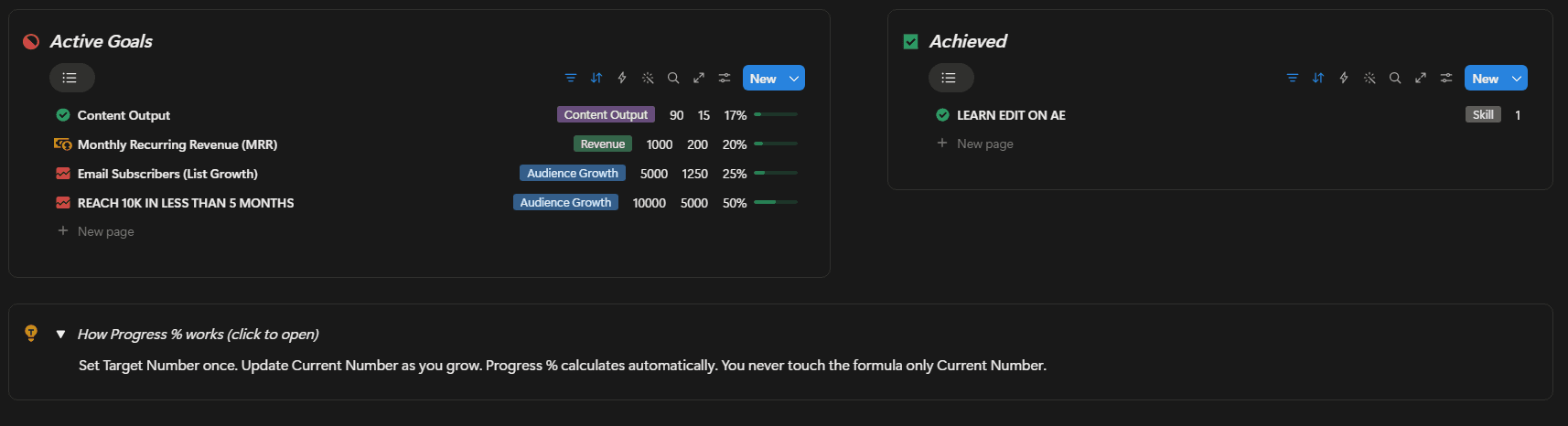
Update one number. Progress tracks itself.
Set a target once. Update where you actually are. The percentage calculates on its own, you never touch the formula.
Every dollar, logged by source
Sponsorships, affiliates, product sales, tracked with date and payment status. No spreadsheet, no midnight math.

The full bonus stack
Not a separate upsell. Already inside the moment you duplicate it.
AI Prompt Pack
28 prompts for content, scripts, social, email, monetization, and strategy. Every one uses the same trick: tell it your voice once, it sounds like you from then on.
Quick-Start Video
A step-by-step walkthrough of the entire setup, start to finish, so you're not guessing what to click.
90-Day Roadmap
A phase-by-phase guide from your first task to your first product launch. Built around the system you're actually using, not generic advice.
Who this is actually for
This is for you if
- You've tried Notion before but ended up with a system you stopped using
- You use AI tools regularly but the output never quite sounds like you
- You want your revenue and goals tracked where you already plan content
- You want something ready to use today, not a blank page to build from scratch
This isn’t for you if
- You want a single-page content calendar and nothing more
- You're not planning to open Notion at least a few times a week
- You want AI to write everything with zero input from you
Questions before you buy
Will duplicating this affect my existing Notion workspace?
No. Duplicating Creator Forge adds a new folder of pages to your workspace, alongside whatever you already have. Nothing existing is touched, moved, or changed. If you want it out of the way day to day, you can collapse the folder in your sidebar without losing access to it.
Do I need a Notion paid plan?
No. Creator Forge runs entirely on Notion's free plan. Every database, every view, every one of the three live widgets. No subscription. No upgrade prompt. No feature that quietly breaks once you hit a free-plan limit.
I'm new to Notion. Will I be able to use this?
Yes. The Quick-Start video walks through the whole setup, step by step. You only ever touch the 10 dashboard pages, never the 12 databases behind them. That's the part that keeps it simple, even if you've never used Notion before today.
How does the voice-calibration actually work?
The Master Voice Template is a block you fill in once, your niche, your audience, your voice in three words, two examples of your own writing. Paste it above any of the 28 prompts before running it in ChatGPT, and the output is calibrated to you instead of a generic brief.
What's your refund policy?
This is an instant digital download, so all sales are final once the duplicate link has been accessed. That's standard for this kind of product. If something doesn't work as shown, message support directly. It'll be fixed within 48 hours, not just apologized for.
If something doesn’t work as shown, a relation that isn’t functioning, a widget that won’t load, a view that isn’t pulling data, message support. It’ll be fixed within 48 hours. The product should work. I’ll make sure it does.
Your content business, connected
60 seconds to duplicate. 10 minutes to set up. Ready to use today.
Most single-purpose Notion planners on Gumroad run $19 to $39. This one connects your tasks, content, goals, revenue, and AI prompts, all in one place.
Get Creator Forge $67